Nicholas Clooney

Timeline

#ui

5 entries following this thread through the timeline.

Nicholas Clooney

thoughts: ProjectSpire image quality surprise
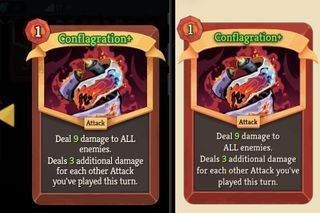
Side-by-side comparison of the Conflagration+ card in Slay the Spire and the ProjectSpire app, with the app rendering appearing cleaner
Pixel peeping Conflagration+ in-game (left) beside the ProjectSpire app render (right).

I was pixel peeping ProjectSpire against the actual game, comparing the original Slay the Spire PNG in-game with my app's q85 WebP version generated from that same source art.

Somehow, despite the game having the full-resolution PNG available, the card looks worse in-game than it does in my app.

My educated guess is that the game has its own processing and rendering pipeline, with its own constraints and reasons for the final image quality tradeoff.

Still: huh. I am genuinely surprised by that.
Nicholas Clooney

feature: Neow's Cafe typography and themes

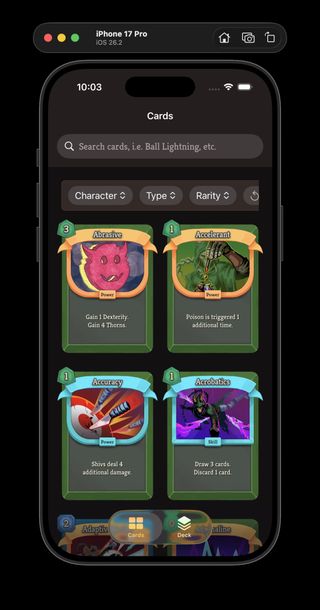
Neow's Cafe card catalog using the light theme Neow's Cafe card catalog using the dark theme
Neow's Cafe with the new light and dark app themes side by side.

I shipped another Neow's Cafe UI pass in ProjectSpire, focused on turning the app's visual styling into reusable systems instead of one-off view code. The work in the May 7 snapshot registers the app fonts as a typography system so I can use consistent text styles anywhere in SwiftUI, and adds explicit light and dark themes for the card catalog UI. It is a small-looking change, but it gives the app a much cleaner foundation for future screens.

Nicholas Clooney

wip: ProjectSpire iOS card library foundations

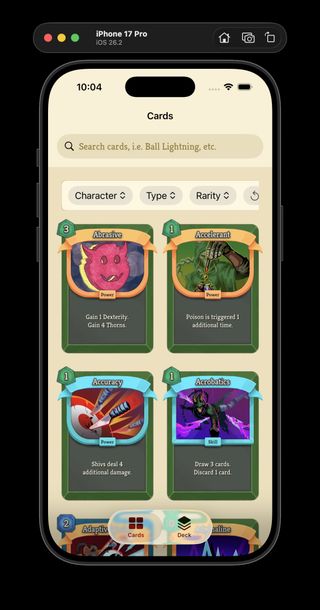
I’ve been working on ProjectSpire’s iOS app (codename: Neow’s Cafe) in NicholasClooney/ProjectSpire as a 1:1 Slay the Spire 2 card library, and the useful part is not just the filtering UI and refactor cleanup, but the way I’m trying to work with AI.

I get better results when I lay down the foundations myself first, especially around quality, guard rails, and how the data is modeled, and then let AI work inside that framework instead of asking it to define the framework for me. It also helps a lot when I have AI propose higher-level API or contract changes before it starts making edits.

Here's a snapshot of the visual changes. There is also quite a bit of non-visual work too, like reorganizing the source files into clearer areas such as App, Components, Models, Views, Logic, and Dependencies, splitting the banner text into its own component, moving the app toward injected dependencies instead of hardcoded wiring, and a few other things.

...and the changes can be found here on GitHub

Nicholas Clooney

wip: ProjectSpire extracted card model

I’ve moved the SwiftUI card view forward by adding a real Card model, so even though the screen does not look dramatically different yet, the app is much closer to rendering cards from extracted data instead of hardcoded values. There is even a small visual regression in the golden text compared with the previous screenshot, but the important change is underneath: I can now refine the card parser and JSON output models, bring those records and required images directly into the app, and aim to emulate any card regardless of rarity, type, or data shape. The relevant work is in the ProjectSpire compare for the card view changes and the new card model.

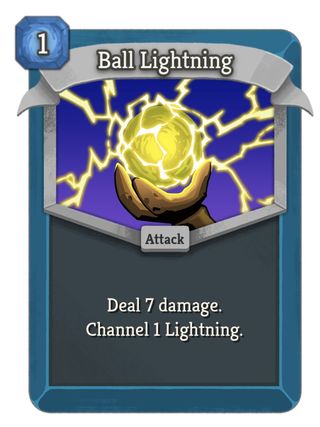
Updated SwiftUI Slay the Spire 2 card view powered by an extracted card model
New Card model version.
Previous comparison of a Slay the Spire 2 card in the game and the earlier SwiftUI card view
Previous visual pass for comparison.
Nicholas Clooney

wip: ProjectSpire SwiftUI card view

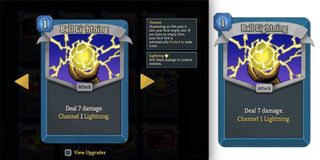
I’m recreating the Slay the Spire 2 card view in SwiftUI with assets extracted from the game, and I’m very happy with how close the first pass feels. The current work is captured in ProjectSpire snapshot/2026-04-28, especially CardView.swift; most of it is still hardcoded, but the visual foundation is there. Next I want to generalize it so the view can take a card data object and dynamically reload the text, colors, and assets, which might eventually turn into a Slay the Spire wiki app for the phone.

Comparison of a Slay the Spire 2 card in the game on the left and a matching SwiftUI card view on the right